Object detection
Put a box and a class on every instance in frame.
ApplicationsWhat you build
Computer VisionQuality InspectionSafety MonitoringIndustriesWhere you apply it
ManufacturingAgricultureRetailIntegrationsHow you deploy it
Raspberry PiUNO QTensorFlow LiteTrain image classification and object detection models on your own data, then build a package for the device that has to run them.
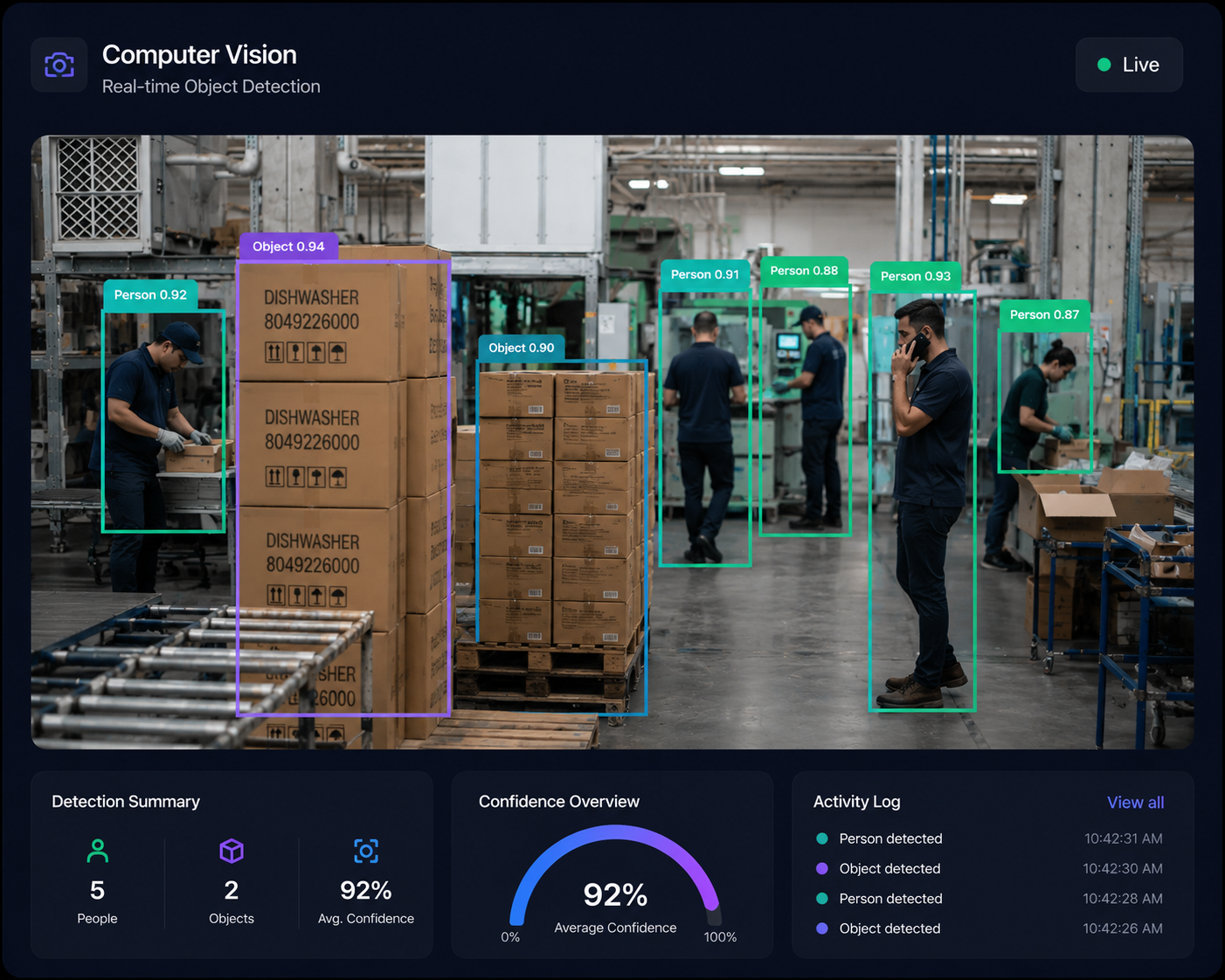
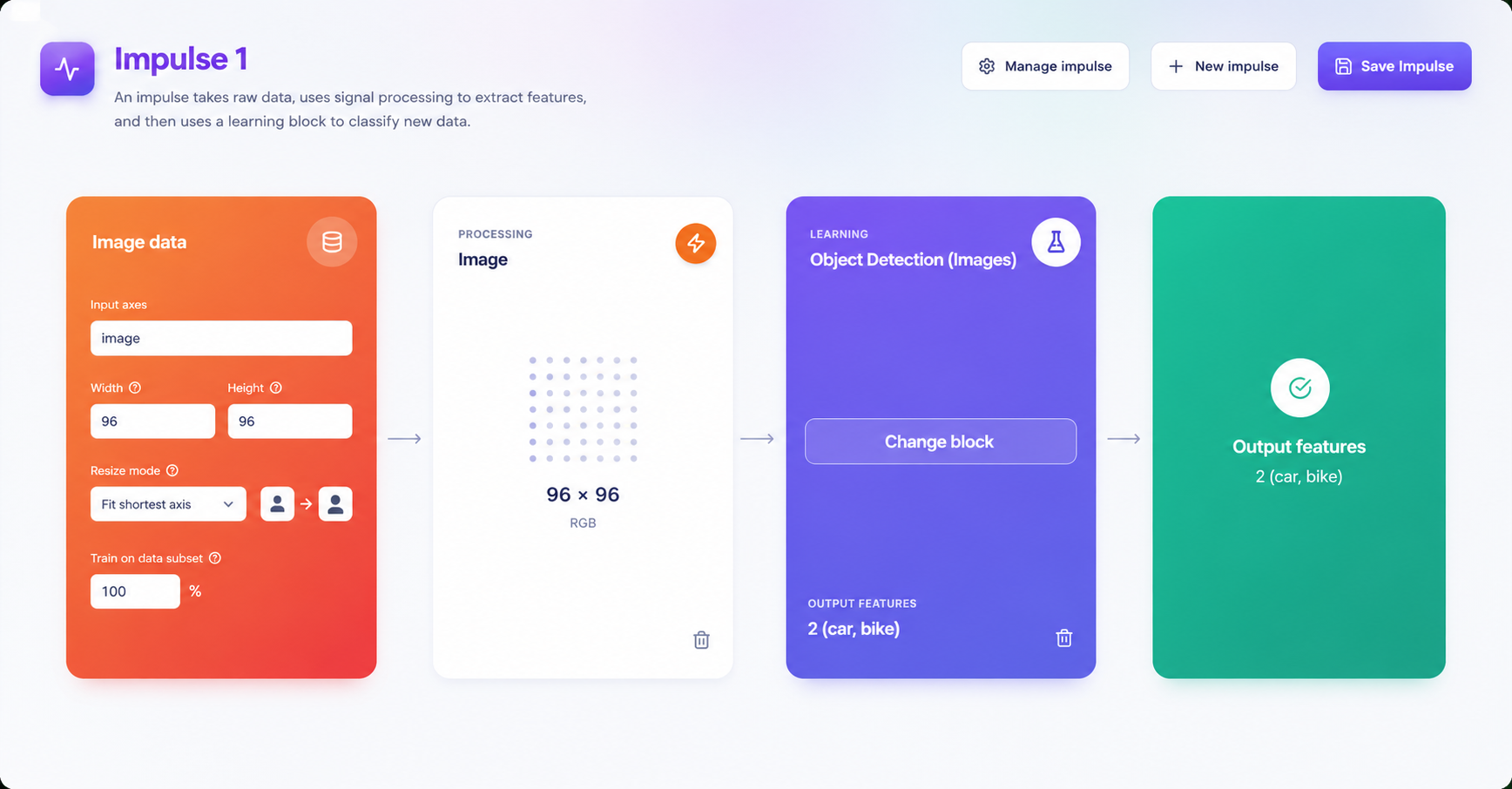
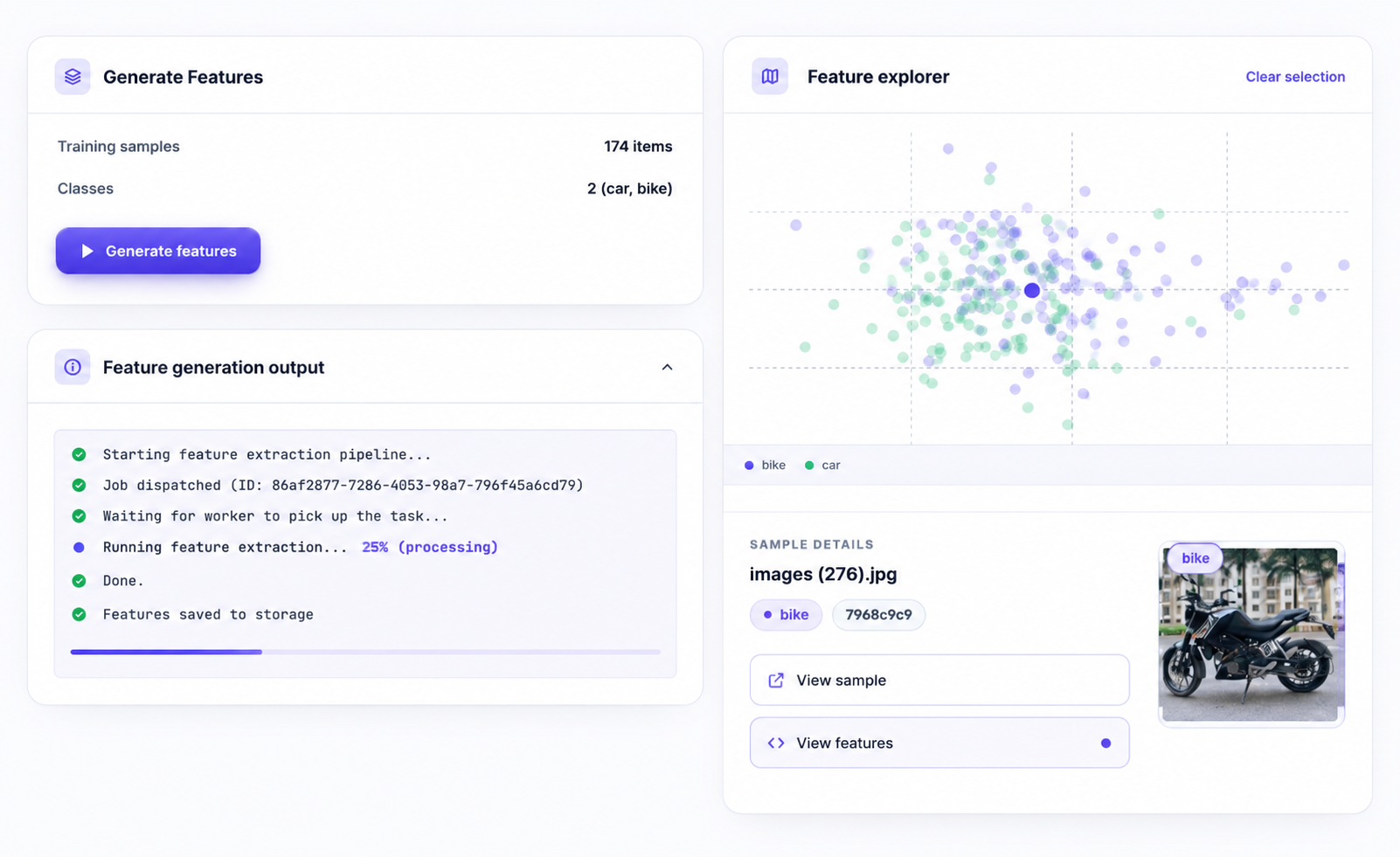
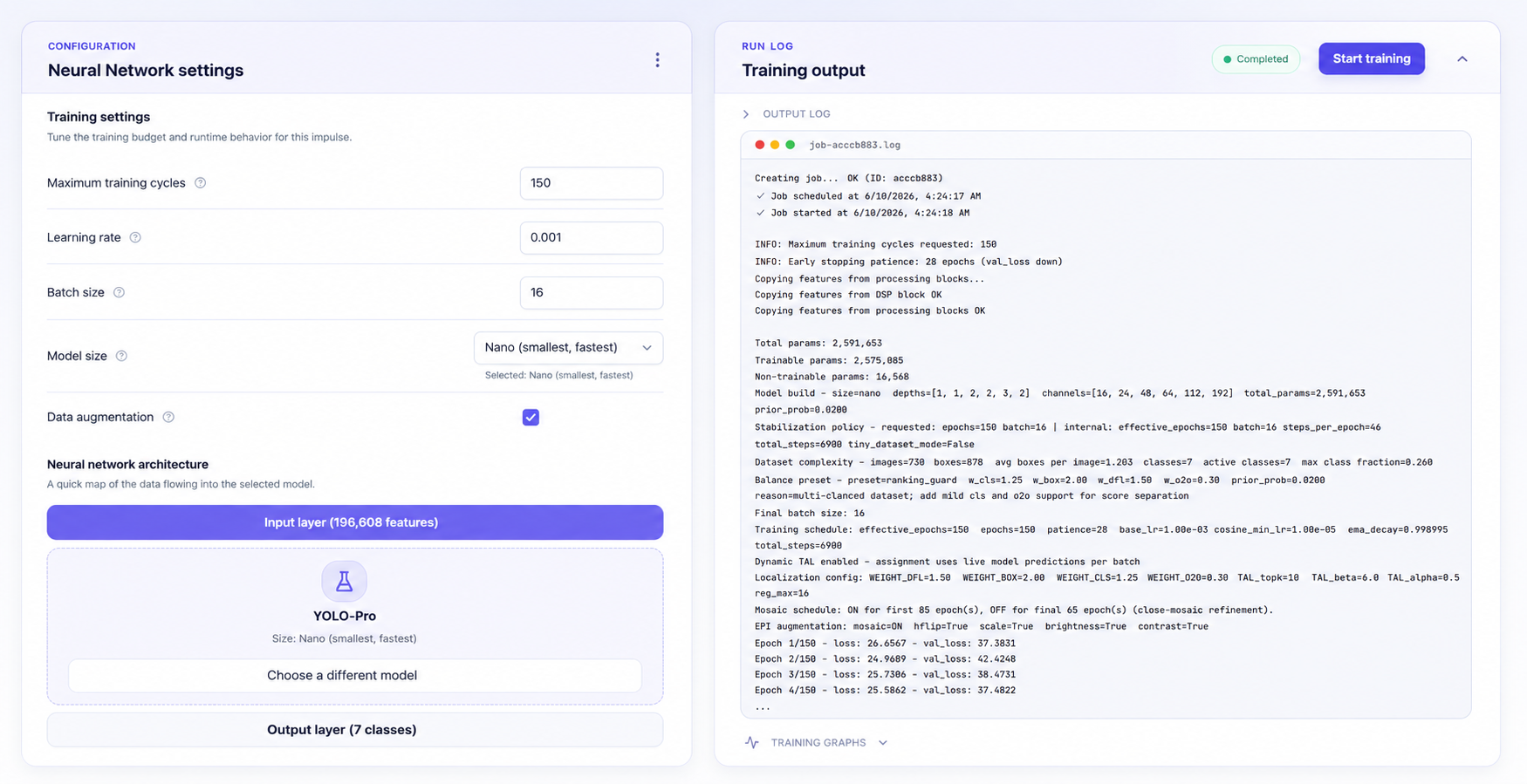
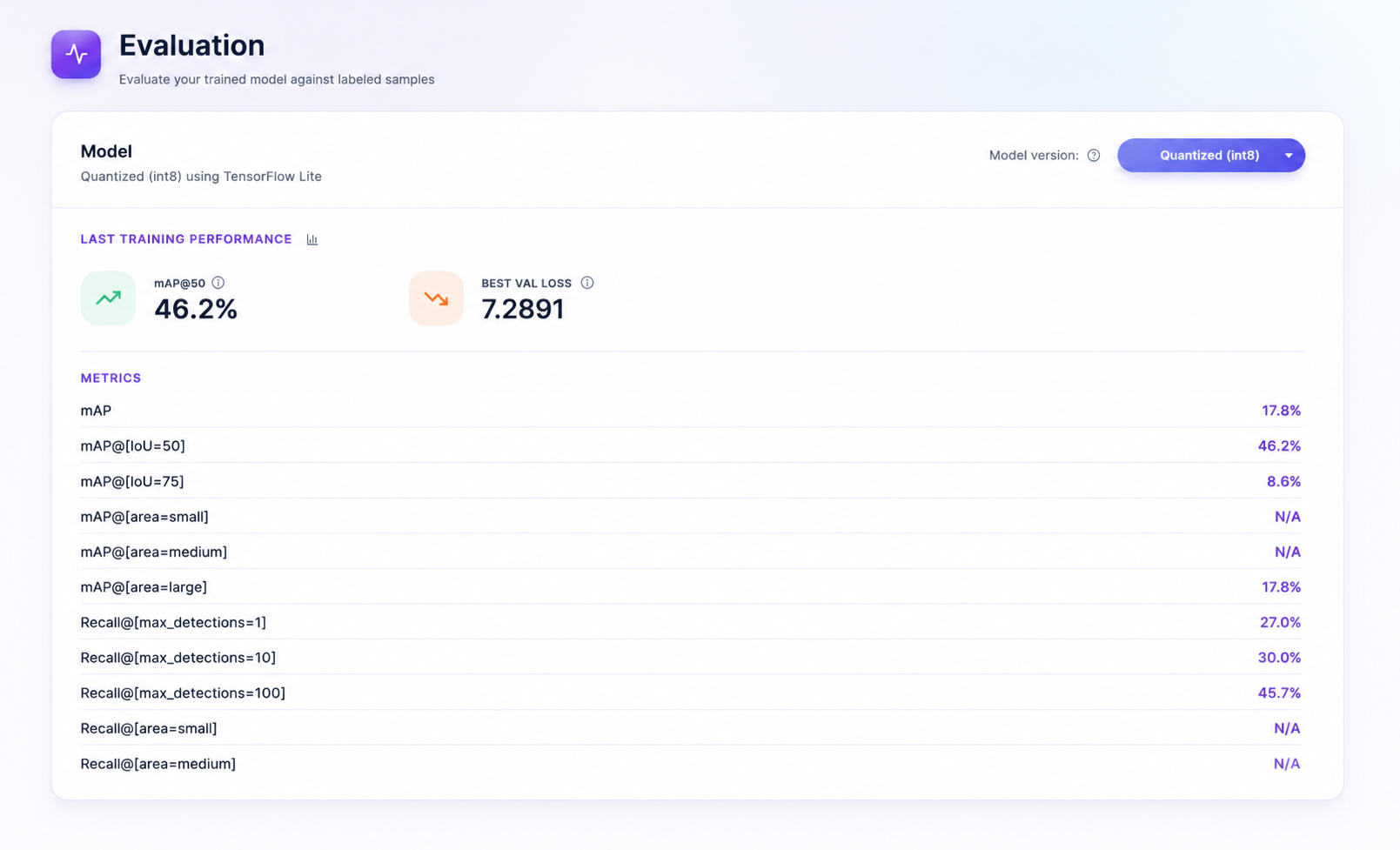
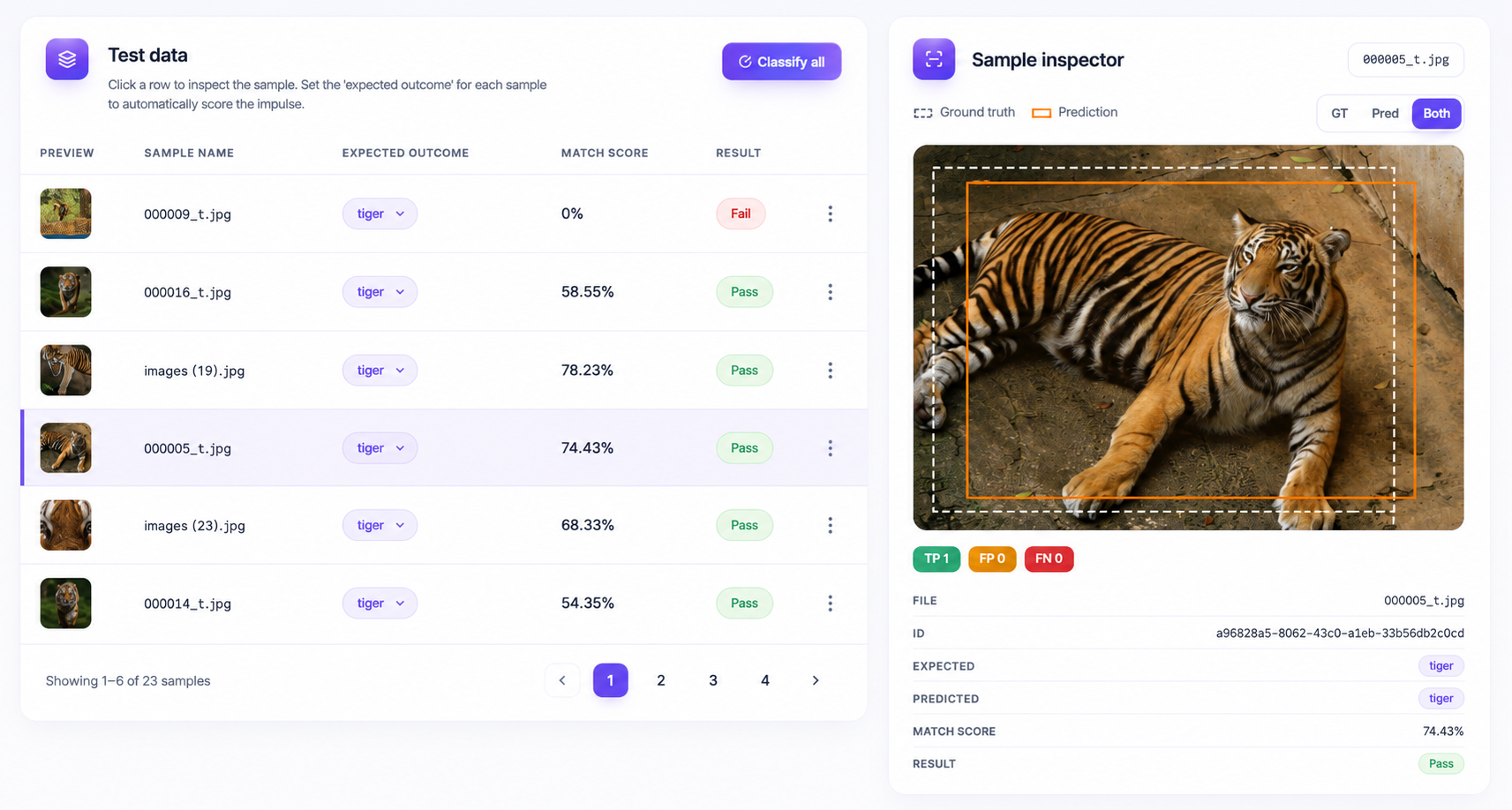
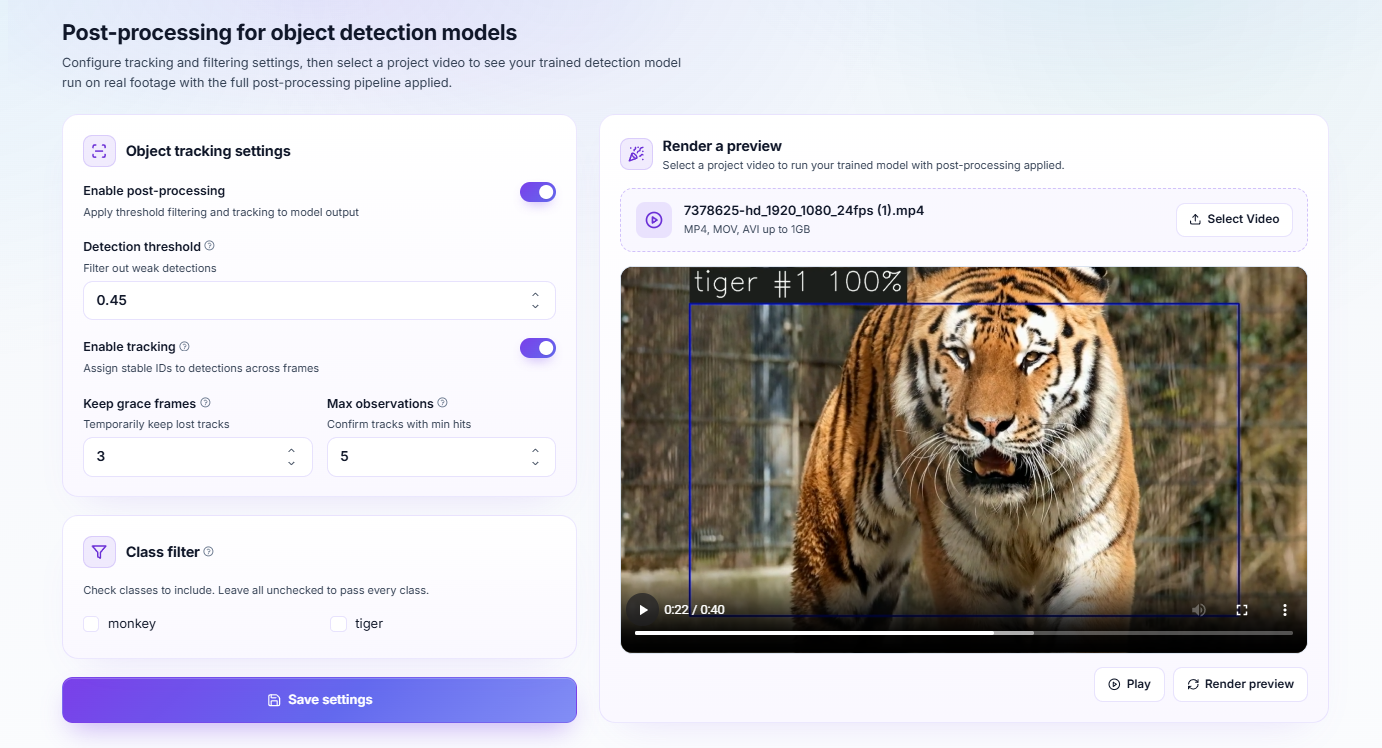
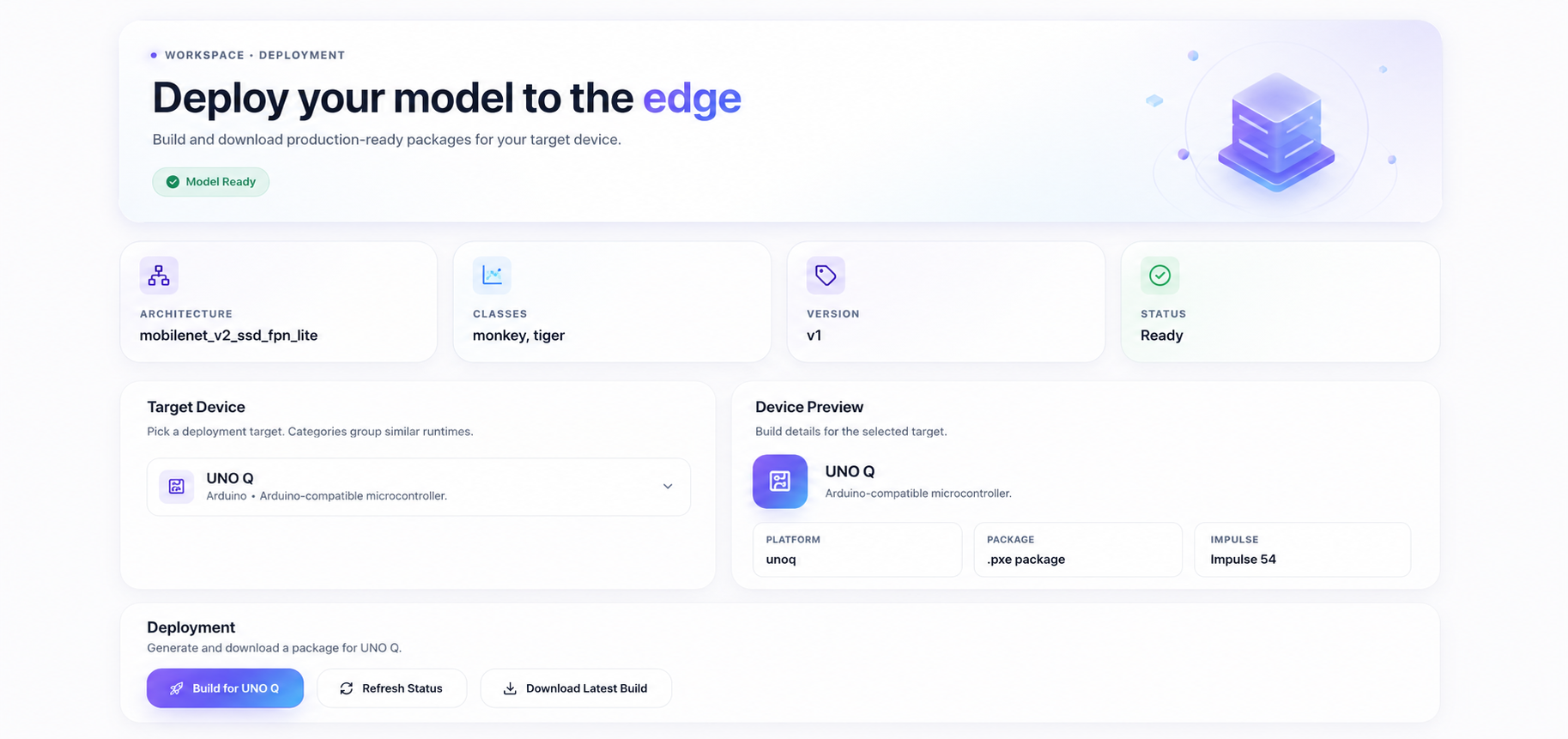
Every stage of the workflow lives in one place — collecting and labelling images, designing the impulse, training, testing what came out, and shipping it to the device that has to run it.
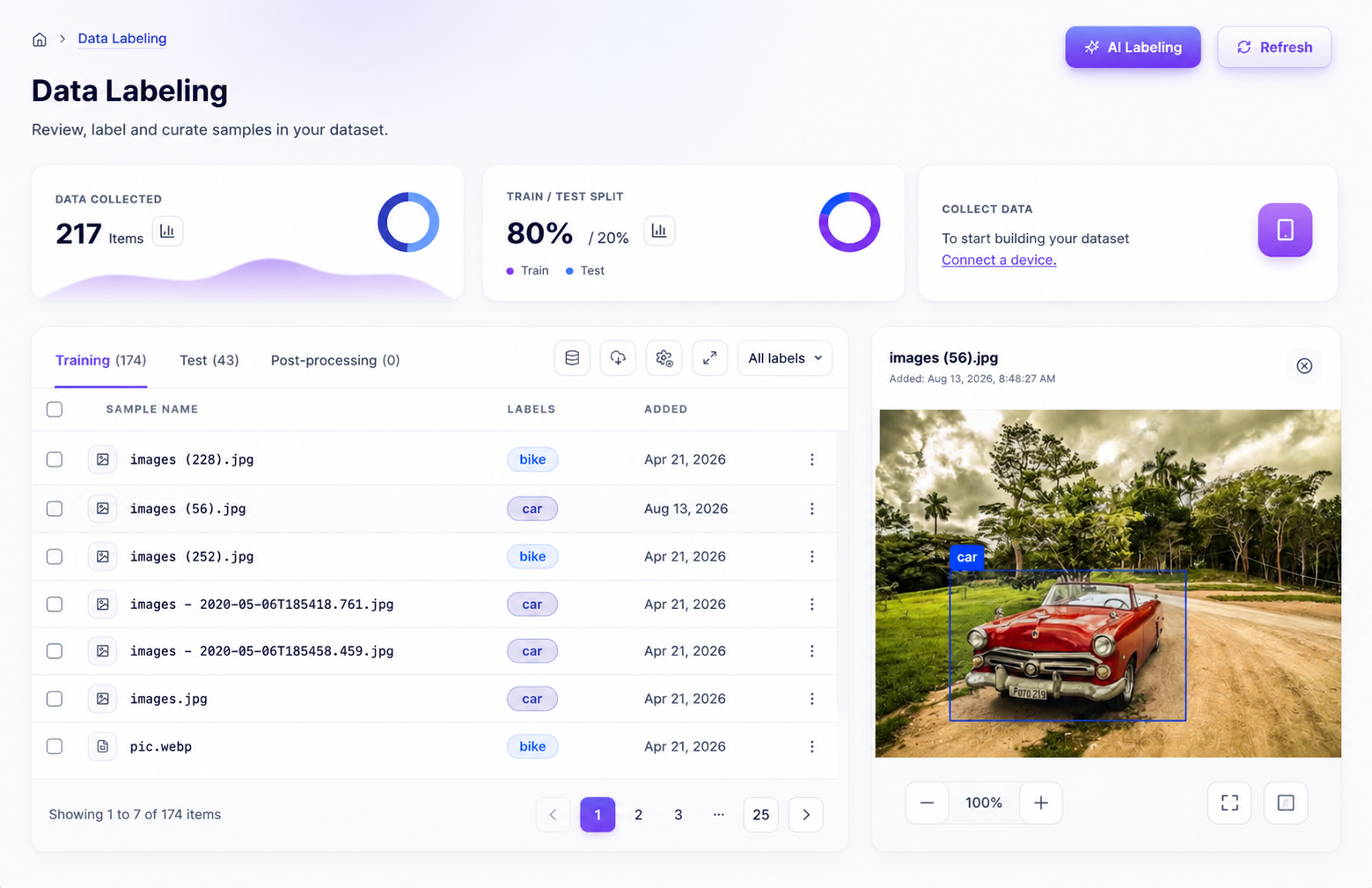
Accelerate dataset creation with AI-assisted image labeling. Automatically detect and suggest bounding boxes for objects, significantly reducing manual annotation time while improving consistency across large datasets. Review, adjust, and approve predictions in seconds to build high-quality training data faster.
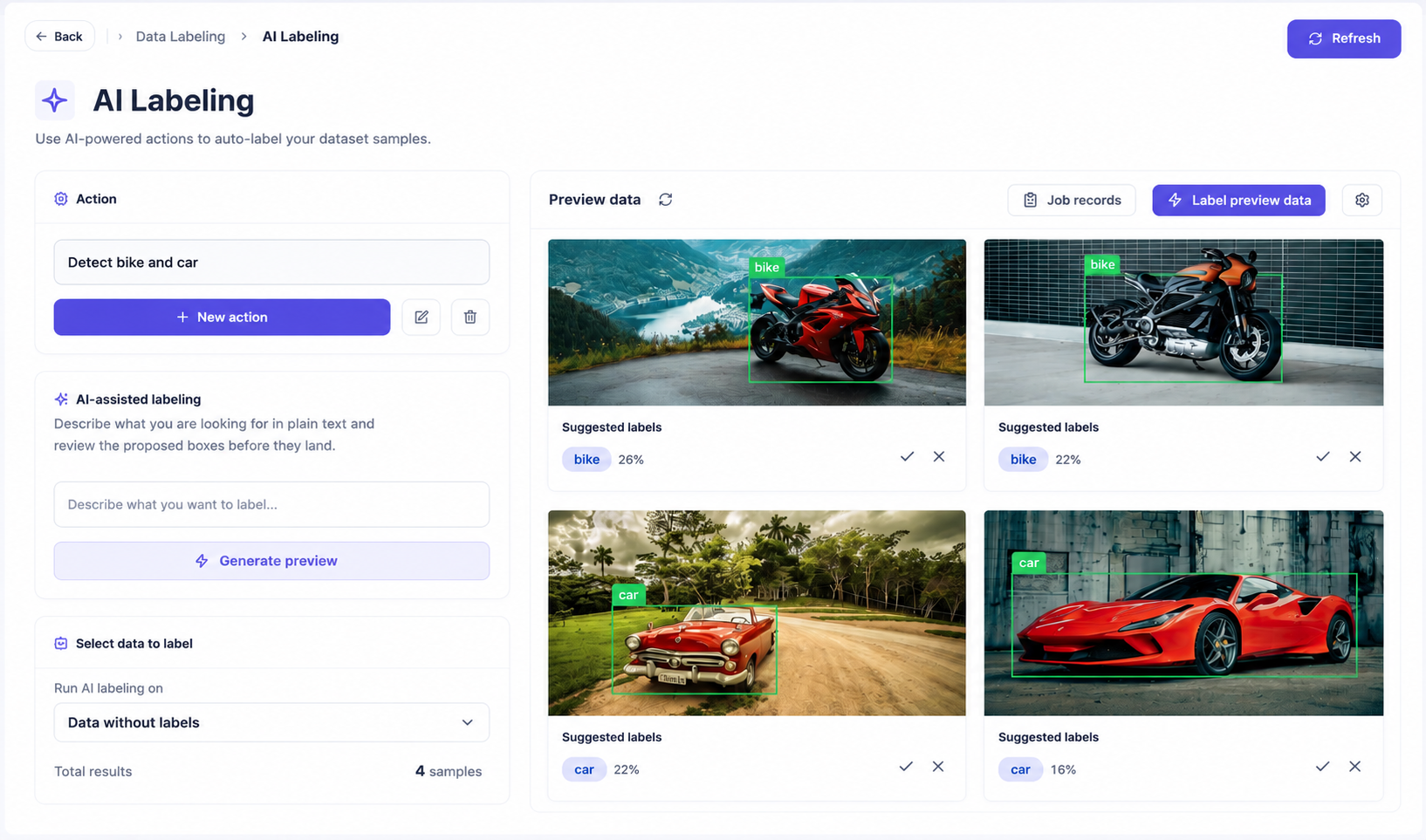
Every stage below is a screen in the platform, not a diagram of something you still have to build.
0110
01Stage 1 of 10
Upload samples or import an existing folder tree.
Data
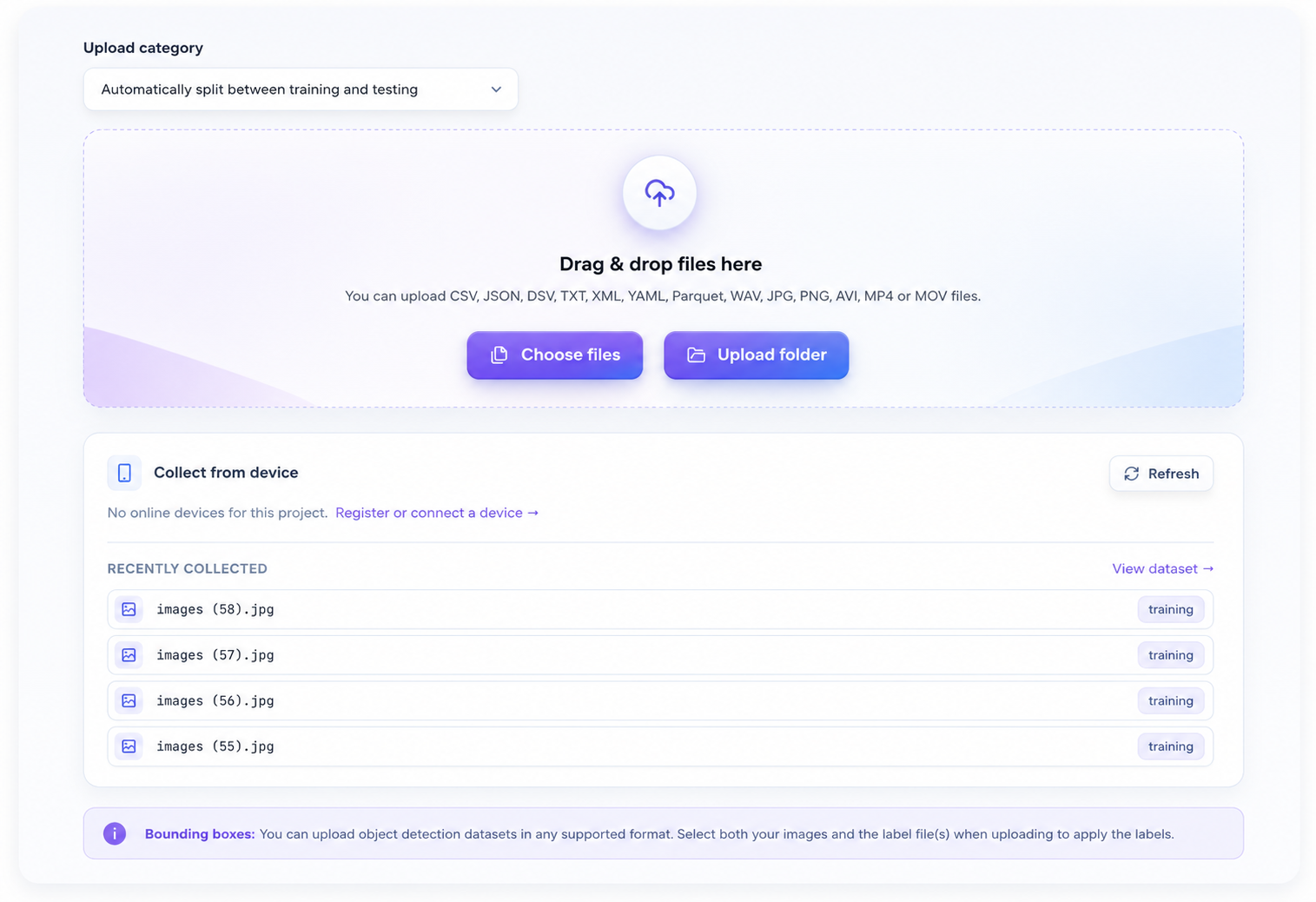
Import COCO, YOLO, Pascal VOC, Open Images and Edge Impulse JSON without reformatting them first.
Draw, adjust and relabel boxes directly on the dataset grid.
Describe what you are looking for in plain text and review the proposed boxes before they land.
Centroid detection with NanoVision v1 or v2, or box detection with Vision Pro.
Train MobileNetV2 from scratch or fine-tune with ImageNet transfer learning.
Turn any trained model into a ready-to-run package for the target you pick.
All of these start the same way: your images, your classes, your device. Nothing here is a stock model — it is what the same workflow produces when you point it at a different problem.
Put a box and a class on every instance in frame.
Count how many people pass a fixed camera.
Check the required gear is worn before work starts.
Flag the parts that fail, and show where they fail.
Grade finish and texture straight off the line.
Locate codes on moving stock so a reader can lock on.
Find the printed regions a reader needs to parse.
Sort output into the pass and fail classes you track.
See how shoppers move through a floor plan.
Pick out vehicles arriving at a yard or gate.
Track which bays are free, bay by bay.
Separate recyclable material on a sorting belt.
Spot crop stress from a camera out in the field.
Identify species on trail cameras with no uplink.
Watch a cell and react when its state changes.
Count finished units without a mechanical trigger.
Find parcels on a belt and read their placement.
Confirm a helmet is on before the line runs.
Catch smoke early in a fixed camera view.
Locate plates at a gate for a reader to parse.
Detect the body positions that matter as their own classes.
Sort produce by ripeness and grade.
Classify captured images in a controlled setup.
Give a controller a vision signal it can act on.
Let a robot see the part before it reaches for it.
The targets teams reach for on this kind of project.
Python inference package
Installs with the device client and runs as a service
Linux runtime package
The on-device runner takes it from there, no glue code to write
TensorFlow Lite model with an inference library
Embed it in any runtime that can load TensorFlow Lite
Petal Edge builds for six targets in total, each with its own package format and constraints.
See all deployment optionsData, labels, training, evaluation, post-processing, deployment and the fleet live in one place, with nothing to stitch together.
Collect, label, train, evaluate, post-process, deploy and monitor without leaving the platform.
NanoVision, Vision Pro and MobileNetV2 are built to run on devices, not on datacentre GPUs.
One trained model, packaged for the hardware you already run.
Register devices, read their inference logs, and push new models over the air.
Create a project, bring your data, and take it through to a deployed model.